
Google Play Store PC
Google Play is Google's digital distribution platform. On Windows, Google offers Play content through the browser and Google Play Games on PC.
52.9 MB

10.0.26100.6584 · Microsoft Corporation · Page updated
Media Creation Tool is a free Microsoft utility that downloads Windows and turns it into a bootable USB flash drive or an ISO file.
Average 0.0 · ratings: 0
Thank you! Your rating is saved; you can change it. Could not save the rating. Please try again later. Too many ratings from your network today. Please try again tomorrow. The average appears after 5 ratings.
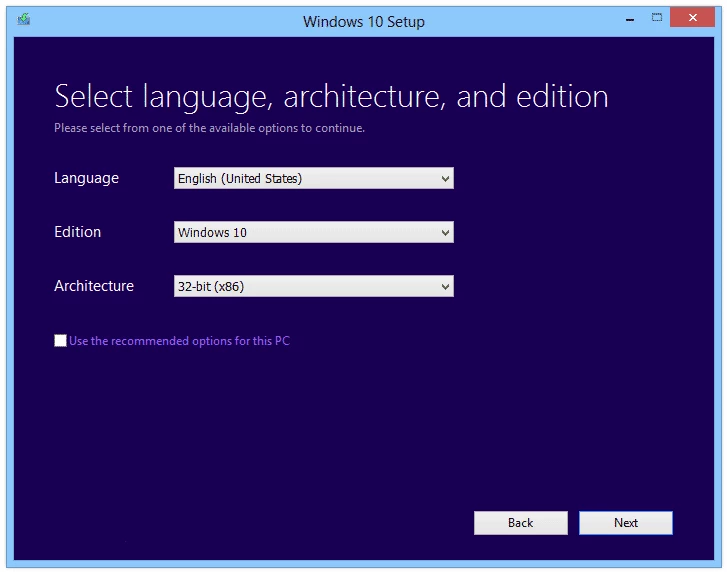
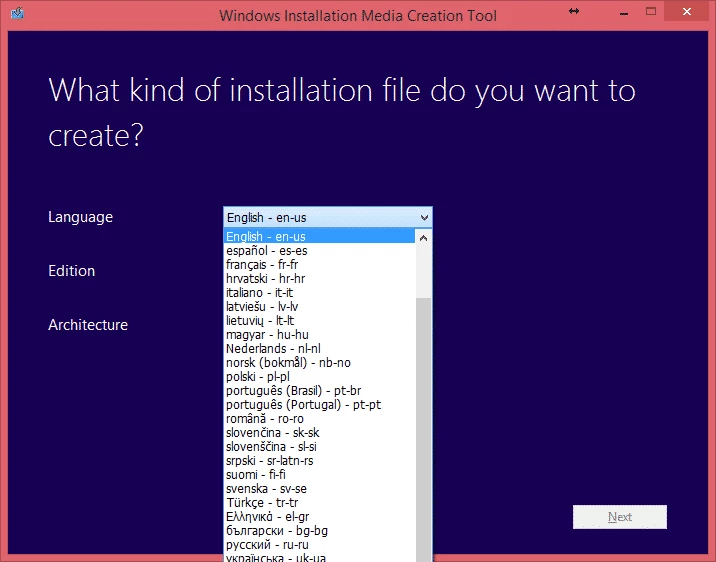
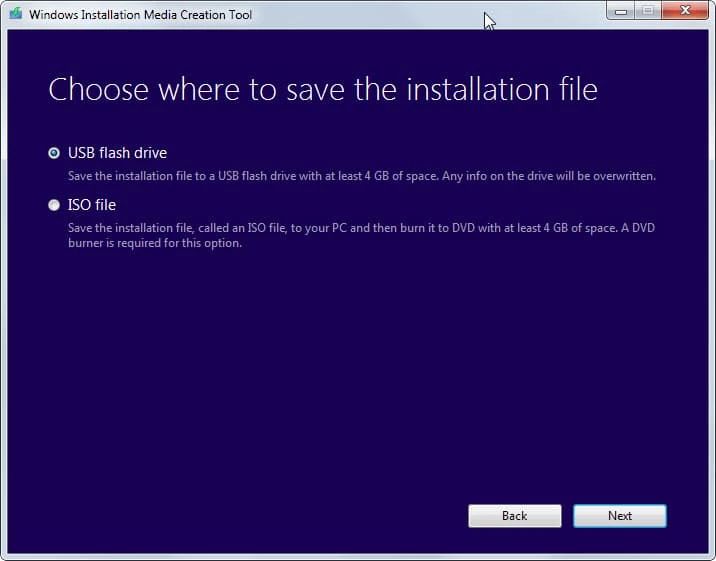
Media Creation Tool 10.0.26100.6584 is a free Microsoft utility for Windows that downloads Windows and creates installation media from it. You download Media Creation Tool from Microsoft's site when you need a bootable USB flash drive or an ISO file to install, reinstall or repair Windows 11 on a PC.
Media Creation Tool is the tool for installing Windows on another computer or starting from scratch. Typical cases are a new PC built without a system, a clean reinstall after years of use, a drive replacement, or a computer that no longer boots and needs a repair environment. The tool downloads the current Windows image directly from Microsoft and writes it to a USB stick, so you do not have to look for ISO files on third-party sites. If you only want to upgrade the Windows 11 PC you are sitting at, Microsoft points to Windows 11 Installation Assistant instead, which updates the current system without a USB stick; Media Creation Tool is for making media. Windows 10 is no longer supported, so new installations should use Windows 11 where the hardware allows it.
You need a working Windows PC with an internet connection, administrator rights and a USB flash drive large enough for the image. The target computer must meet Windows 11 requirements; Microsoft's Windows 11 download page lists them. For comparison, Installation Assistant needs Windows 10 version 2004 or later and 9 GB of free disk space for the download, and it does not run on Arm-based PCs.
Yes, when taken from microsoft.com: the tool is signed by Microsoft and downloads the image from Microsoft's servers. Back up your files before a clean install, and double-check which USB drive you select, because it will be wiped.
The tool is free. Installing Windows itself requires a valid licence; a PC that already had an activated Windows 11 usually reactivates automatically.
For working with existing ISO images, UltraISO is available on our site. To check the drive before installing Windows, CrystalDiskInfo and Victoria HDD/SSD show its health, and CPU-Z helps confirm the hardware.
Google Play is Google's digital distribution platform. On Windows, Google offers Play content through the browser and Google Play Games on PC.

LDPlayer is an Android emulator for Windows that runs mobile apps and games on a computer.

BlueStacks is an Android emulator for Windows that lets you run Android apps and games on your PC.
Rufus is a free Windows utility that turns a USB stick into a bootable installer. The current version is 4.15.

PC App Store is a free software store for Windows from Baidu for finding, installing and updating PC programs. This page covers version 5.0.1.8682.
FAT32Format is a tiny free Windows tool from Ridgecrop Consultants that formats large disks and USB drives with the FAT32 file system.

Uptodown App Store for Windows is the desktop client of Uptodown, a marketplace for desktop software and mobile apps. This page covers version 1.0.3.

NoxPlayer is a free Android emulator from Bignox for Windows and macOS that runs mobile games and apps on a computer with keyboard and mouse control.